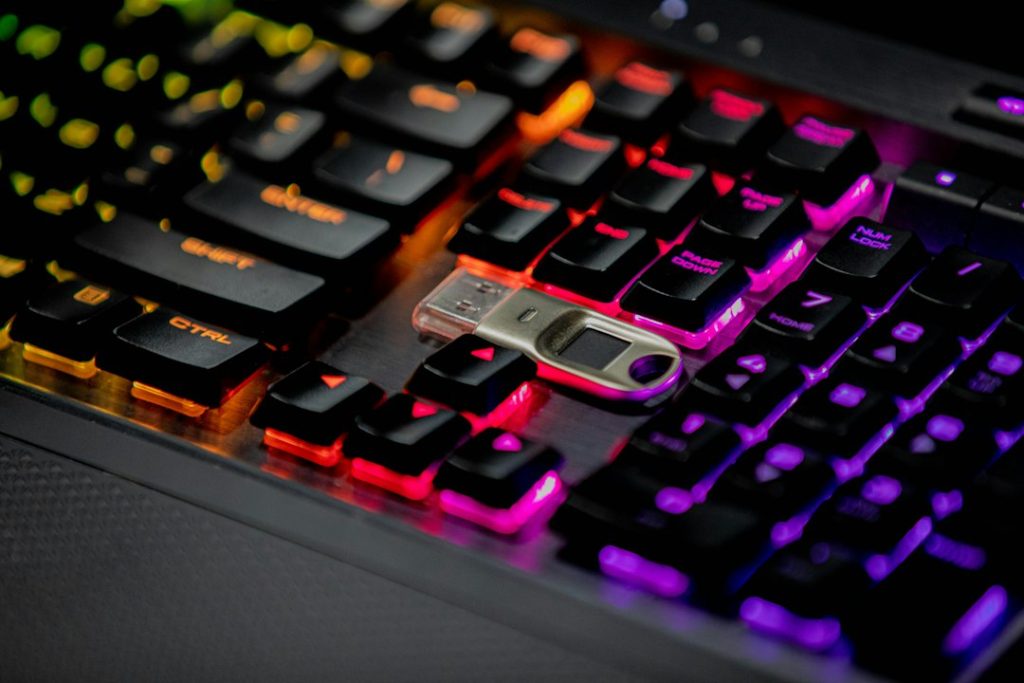
In an era where digital threats escalate daily, securing your online identity is paramount. Traditional password-based authentication is notoriously vulnerable to phishing, credential stuffing, and man-in-the-middle attacks. Hardware security keys, particularly those leveraging FIDO2 and NFC technologies, offer a robust, phishing-resistant solution. This guide dives deep into the best FIDO2 NFC security keys, providing evidence-based insights to help you achieve bulletproof cybersecurity protection.
| Key Metric | YubiKey 5C NFC | Google Titan Security Key (USB-C NFC) | SoloKeys FIDO2 NFC Security Key | Feitian Biometric Security Key (ePass FIDO2 NFC) |
|---|---|---|---|---|
| Authentication Protocols | FIDO2, FIDO U2F, PIV, OpenPGP, OTP, OATH-HOTP, OATH-TOTP | FIDO2, FIDO U2F | FIDO2, FIDO U2F | FIDO2, FIDO U2F |
| Connectivity | USB-C, NFC | USB-C, NFC | USB-C, NFC | USB-C, NFC |
| Biometrics | No | No | No | Yes (Fingerprint Sensor) |
| Durability | Water-resistant, crush-resistant | Resistant casing | Durable plastic casing | Robust metal and plastic construction |
| Price Range (USD) | $70 – $80 | $50 – $60 | $45 – $55 | $60 – $75 |
| Platform Support | Windows, macOS, Linux, Android, iOS | Windows, macOS, Linux, Android, ChromeOS | Windows, macOS, Linux, Android, ChromeOS | Windows, macOS, Linux, Android |
Top FIDO2 NFC Security Keys: Quick Picks for Unbreakable Security
Selecting the right FIDO2 NFC security key can feel overwhelming given the growing market. For users prioritizing a balance of features, robust security, and broad compatibility, a few options consistently rise to the top. These keys are designed to be phishing-resistant and easy to integrate into your daily digital life, offering peace of mind against a myriad of online threats.
Best Overall: YubiKey 5C NFC
⚖️ Form Factor: Compact Stick
🔋 Protocols Supported: FIDO2, U2F, PIV, OpenPGP, OTP, OATH
👍 Pros
- Extensive protocol support beyond FIDO2/U2F.
- Exceptional build quality and durability.
- Wide compatibility across operating systems and services.
- NFC enables convenient mobile authentication.
👎 Cons
- Higher price point compared to some competitors.
- No biometric authentication option.
The YubiKey 5C NFC stands out due to its comprehensive support for multiple authentication protocols, making it a versatile choice for both personal and enterprise use. Its robust construction, including water and crush resistance, suggests long-term reliability. While lacking biometric features, its strength lies in the sheer number of authentication methods it supports, alongside industry-leading FIDO2/U2F capabilities. Integration with numerous online services is well-documented and generally seamless.
Yubico has long been a leader in the hardware security key market, and the YubiKey 5C NFC exemplifies their commitment to security and usability. Featuring both USB-C and NFC interfaces, it offers flexibility for authentication across desktops, laptops, and mobile devices. The key supports FIDO2, FIDO U2F, PIV (smart card), OpenPGP, OATH-TOTP/HOTP, and Yubico OTP. This breadth of support means it can replace passwords for a vast array of applications, from web services like Google and Microsoft to password managers and even secure SSH access. Its durable, waterproof, and crush-resistant build means it can withstand the rigors of daily carry. While it carries a premium price, its versatility and proven security track record make it an outstanding investment for those seeking the highest level of digital protection.

Best for Android Users: Google Titan Security Key (USB-C NFC)
⚖️ Form Factor: Small Dongle
🔋 Protocols Supported: FIDO2, U2F
👍 Pros
- Integrated into Google’s security ecosystem.
- Excellent value for its features and security.
- USB-C and NFC support for broad device compatibility.
- Simple and straightforward setup process.
👎 Cons
- Limited protocol support compared to YubiKey.
- Physical key may be less durable than some competitors.
- Primarily focused on FIDO2/U2F.
The Google Titan Security Key is designed with ease of use and strong FIDO authentication in mind, particularly for users within the Google ecosystem. Its USB-C connector and integrated NFC chip provide versatile connection options. The security chip within the Titan key is designed to be tamper-resistant, adding a layer of hardware security. While it doesn’t support as many protocols as a YubiKey, it excels at its core function: providing strong FIDO2 and FIDO U2F authentication, which is sufficient for most modern web services. Its affordability makes it an accessible option for enhanced security.
For Android users, and indeed anyone invested in Google’s suite of services, the Google Titan Security Key (USB-C NFC version) presents a compelling option. This key leverages both USB-C for direct connection to modern devices and NFC for quick, contactless authentication, particularly useful with smartphones. Google emphasizes the tamper-resistant nature of the security hardware within the Titan key, designed to prevent unauthorized access even if the key is physically compromised. While its FIDO2 and U2F support covers the most critical online accounts (Google, social media, password managers), it doesn’t offer the same breadth of protocol support as some premium keys. However, for its intended purpose of providing phishing-resistant authentication for everyday web use, it performs admirably and offers excellent value, making it a top pick for Android users looking to step up their security.
Best Budget Option: SoloKeys FIDO2 NFC Security Key
⚖️ Form Factor: Small, discreet
🔋 Protocols Supported: FIDO2, U2F
👍 Pros
- Highly affordable, offering excellent FIDO security at a low price.
- Supports FIDO2 and FIDO U2F standards.
- Compact and lightweight design.
- NFC capability for mobile use.
👎 Cons
- Build quality is good but less robust than premium options.
- Limited to FIDO2/U2F protocols.
- May require more technical understanding for some advanced uses.
SoloKeys positions itself as a provider of accessible FIDO security keys without compromising on core functionality. The SoloKeys FIDO2 NFC key supports the essential FIDO2 and FIDO U2F standards, making it suitable for securing major online accounts. Its low cost makes advanced phishing-resistant security attainable for a broader audience. Evidence suggests its NFC performance is reliable for smartphone authentication, and its USB-C connector ensures compatibility with modern devices. While not as feature-rich or rugged as higher-priced alternatives, it delivers on its promise of secure, standard-based authentication at an attractive price point.
For budget-conscious users who still demand strong security, the SoloKeys FIDO2 NFC Security Key is a standout choice. This key provides robust FIDO2 and U2F authentication, crucial for protecting against phishing attacks on services like Google, Microsoft, social media platforms, and password managers. It features both a USB-C connector and NFC, offering versatile connectivity for desktops, laptops, and smartphones. The appeal of SoloKeys lies in its affordability, making multi-factor authentication with a hardware key accessible to more individuals. While its construction might not feel as premium as some higher-end keys, it is adequately durable for everyday use. For users whose primary need is strong, phishing-resistant authentication via FIDO2/U2F without extra protocol overhead, the SoloKeys FIDO2 NFC key offers exceptional value.
Understanding FIDO2 and NFC Security Keys
The digital security landscape is constantly evolving, with cybercriminals employing increasingly sophisticated methods to compromise user accounts. Understanding the technologies behind modern security solutions is key to making informed decisions about protecting your online presence.
What is FIDO2 and Why It Matters for Cybersecurity
FIDO2 is a set of standards developed by the FIDO Alliance and the World Wide Web Consortium (W3C) designed to replace password-based authentication with stronger, phishing-resistant methods. It combines the FIDO Alliance’s U2F (Universal 2nd Factor) standard with the W3C’s WebAuthn (Web Authentication) API. FIDO2 allows users to authenticate to online services using cryptographic key pairs generated on a hardware security key or a device’s built-in authenticator. This process is inherently more secure than passwords because:
- Phishing Resistance: Unlike passwords, FIDO2 authentication is tied to the specific website or service, making it virtually impossible for phishing sites to steal your credentials.
- No Shared Secrets: Authentication relies on public-key cryptography. The private key never leaves the security key, and the server only stores a public key, eliminating the risk of credential database breaches.
- Ease of Use: Once set up, logging in typically involves inserting the key and touching a button or using a biometric (depending on the key type), which is often faster than typing a password.
FIDO2 is crucial for cybersecurity as it directly addresses the weaknesses of passwords, which remain the primary target for attackers. Its adoption by major tech companies like Google, Microsoft, and Apple signifies a significant shift towards more secure authentication practices.
The Role of NFC in Modern Security Keys
NFC (Near Field Communication) is a short-range wireless technology that allows two devices to communicate when they are brought close together. In the context of FIDO2 security keys, NFC adds a layer of convenience and versatility. It enables:
- Mobile Authentication: NFC allows security keys to be easily tapped against NFC-enabled smartphones or tablets for authentication, eliminating the need for USB adapters or Bluetooth pairing for many mobile use cases.
- Contactless Interaction: The contactless nature of NFC provides a seamless user experience, especially on the go.
- Broad Compatibility: Many modern smartphones and some laptops come equipped with NFC readers, making this a widely supported connectivity option.
While not strictly necessary for FIDO2 authentication (USB or Bluetooth can also be used), NFC significantly enhances the usability of hardware security keys for users who rely heavily on mobile devices for their online activities.
Key Features to Look For in a FIDO2 NFC Security Key
When evaluating FIDO2 NFC security keys, consider the following features to ensure you choose a device that meets your security needs and usage patterns:
- FIDO2/WebAuthn Certification: Ensure the key is officially certified by the FIDO Alliance to guarantee adherence to the latest security standards.
- NFC Capability: For mobile convenience, NFC is highly desirable. Verify its reliability and ease of use with your devices.
- Connectivity Options: Beyond NFC, consider whether you need USB-A, USB-C, or Bluetooth connectivity for your primary devices.
- Durability and Build Quality: Security keys are often carried daily. Look for robust materials, water resistance, and resistance to physical damage.
- Protocol Support: While FIDO2/U2F is standard, some keys support additional protocols like PIV (smart card), OpenPGP, or OTP, which can be beneficial for advanced users or specific enterprise environments.
- Biometric Authentication: Some keys incorporate fingerprint sensors for an added layer of convenience and security, though this is not a core FIDO2 requirement.
- Form Factor: Keys come in various shapes and sizes, from small dongles to keyfob-style devices. Choose one that best fits your preferences and how you intend to use it.
- Price: FIDO2 NFC keys range from budget-friendly options to premium devices. Determine your budget based on the features and reliability you require.
In-Depth Reviews of Top FIDO2 NFC Security Keys
Moving beyond the quick picks, let’s delve deeper into the specific features, performance, and nuances of leading FIDO2 NFC security keys on the market. Understanding these details is crucial for making an informed purchase that aligns with your security posture.
YubiKey 5C NFC: Feature Set and Real-World Performance
⚖️ Form Factor: Compact Stick
🔋 Protocols Supported: FIDO2, U2F, PIV, OpenPGP, OTP, OATH
👍 Pros
- Unmatched protocol versatility.
- Exceptional build quality and ruggedness.
- Industry-leading security reputation.
- Seamless NFC and USB-C integration.
👎 Cons
- Premium pricing.
- No biometric sensor.
The YubiKey 5C NFC is engineered for maximum compatibility and security across a wide range of applications. Its robust, water-resistant casing is designed for longevity. Real-world performance reviews consistently highlight its reliability and broad service support. The inclusion of multiple authentication protocols (FIDO2, U2F, PIV, OpenPGP, OTP) means it can serve as a single authenticator for numerous digital needs, from secure logins to cryptographic operations. Its primary limitation is its cost, placing it at the higher end of the consumer market.
The YubiKey 5C NFC from Yubico is often considered the gold standard in hardware security keys, and for good reason. Its feature set is extensive: it not only supports FIDO2 and FIDO U2F but also legacy protocols like PIV (for smart card authentication), OpenPGP for email encryption, and various OATH/Yubico OTP formats. This makes it an incredibly versatile tool for users who need to secure a wide array of online accounts and services. The USB-C connector ensures compatibility with modern laptops and desktops, while the integrated NFC chip provides effortless authentication with Android and iOS devices by simply tapping the key. The build quality is exceptional – these keys are designed to be durable, water-resistant, and capable of withstanding significant physical stress, which is vital for a device carried daily. While the YubiKey 5C NFC comes at a higher price point than many competitors, its comprehensive feature set, unparalleled reliability, and strong security pedigree justify the investment for users who demand the utmost in digital protection and flexibility.
Google Titan Security Key (USB-C NFC): A Deep Dive
⚖️ Form Factor: Small Dongle
🔋 Protocols Supported: FIDO2, U2F
👍 Pros
- Strong security powered by a dedicated security chip.
- Excellent value for money.
- Convenient NFC and USB-C connectivity.
- Simplified setup, especially for Google accounts.
👎 Cons
- Limited to FIDO2 and U2F protocols.
- Durability might be a concern for heavy users.
The Google Titan Security Key is built with a tamper-resistant hardware chip, providing a secure foundation for FIDO2 and U2F authentication. User feedback and Google’s documentation emphasize its straightforward integration with Google accounts and other services supporting FIDO standards. The combination of USB-C and NFC offers practical convenience for a wide range of devices. While its protocol support is less extensive than YubiKey’s, it covers the most critical modern authentication needs. Its primary advantage is its competitive pricing, making robust hardware security more accessible.
Google’s Titan Security Key (USB-C NFC version) offers a potent combination of security and convenience, particularly for users integrated into the Google ecosystem. Its core strength lies in the dedicated security chip, designed to protect against hardware-level attacks and ensure the integrity of the authentication process. The key supports the essential FIDO2 and FIDO U2F standards, providing phishing-resistant logins for services like Gmail, Google Workspace, social media, and many password managers. The inclusion of both USB-C and NFC ensures broad compatibility; users can plug it directly into modern laptops and desktops or tap it against their NFC-enabled smartphones for quick authentication. Setup is generally simple, especially when adding it as a security key to a Google account. While it lacks the multi-protocol support of some higher-end keys, its focus on core FIDO standards, coupled with Google’s security engineering and an attractive price point, makes it an excellent choice for users prioritizing strong, easy-to-use, phishing-resistant authentication, especially on mobile devices.
SoloKeys FIDO2 NFC Security Key: Value Proposition
⚖️ Form Factor: Small, discreet
🔋 Protocols Supported: FIDO2, U2F
👍 Pros
- Extremely affordable entry into FIDO security.
- Supports crucial FIDO2 and U2F standards.
- Compact and portable design.
- NFC adds mobile authentication convenience.
👎 Cons
- Build quality is functional but not premium.
- Lacks advanced protocol support.
- Less robust physical durability compared to premium options.
SoloKeys focuses on delivering core FIDO2/U2F functionality at an accessible price point. Evidence suggests that while the materials and construction are less robust than high-end competitors, the key functions reliably for its intended purpose. NFC performance is generally reported as stable for mobile authentication. The key’s strength lies in democratizing hardware security, providing essential phishing protection for users on a budget. It serves as a reliable second factor for services supporting FIDO standards.
The SoloKeys FIDO2 NFC Security Key champions affordability without sacrificing essential security features. It provides robust FIDO2 and FIDO U2F authentication, critical for safeguarding accounts against phishing and credential stuffing attacks. With both USB-C and NFC connectivity, it offers flexibility for use with a wide range of devices, from laptops to smartphones. The primary draw of the SoloKeys is its exceptionally low price, making hardware-based multi-factor authentication accessible to a much broader audience. While the physical construction might not feel as premium or durable as more expensive keys like the YubiKey, it is perfectly adequate for typical daily use. For individuals or organizations looking for a cost-effective way to implement strong, phishing-resistant authentication across services that support FIDO standards, the SoloKeys FIDO2 NFC key represents excellent value. It’s a no-frills, high-security option that gets the job done effectively.
Feitian Biometric Security Key (ePass FIDO2 NFC): Biometrics Meets FIDO2
⚖️ Form Factor: Rectangular, with sensor
🔋 Protocols Supported: FIDO2, U2F
👍 Pros
- Integrated fingerprint sensor for passwordless login.
- Supports FIDO2 and FIDO U2F standards.
- USB-C and NFC connectivity options.
- Robust build quality.
👎 Cons
- Fingerprint sensor may not be supported by all services or devices.
- Requires higher price point due to biometric technology.
- Limited to FIDO2/U2F protocols.
The Feitian Biometric Security Key integrates a fingerprint sensor, allowing for passwordless authentication on supported platforms. It adheres to FIDO2 and U2F standards, ensuring strong phishing resistance. Its construction is noted for its durability. Real-world usage indicates that while the fingerprint unlock is convenient, compatibility with services and operating systems for this specific feature can vary, meaning fallback to PIN or other methods might sometimes be necessary. The key provides a balance of advanced features and standard FIDO security.
Feitian Technologies offers a compelling option for those seeking enhanced convenience alongside robust security with their Biometric Security Key (ePass FIDO2 NFC). This key integrates a fingerprint sensor, enabling truly passwordless authentication on compatible services and operating systems. When supported, simply touching the sensor and the key authenticates you, bypassing the need to even touch a button or enter a PIN. It fully supports the FIDO2 and FIDO U2F standards, providing excellent phishing resistance. The key features both USB-C and NFC connectivity, offering versatility for desktop and mobile use. Its build quality is solid, suggesting good durability. The main consideration here is that not all services or platforms fully support biometric authentication via hardware keys. In such cases, it functions as a standard FIDO2 key, requiring a PIN or other secondary confirmation. For users whose workflows align with biometric authentication capabilities, this key offers a streamlined and highly secure login experience.
Other Notable FIDO2 NFC Security Keys to Consider
While the above represent top-tier options, the market includes several other reputable FIDO2 NFC security keys worth considering, each with its own strengths:
- Thetis FIDO U2F Security Key: Often praised for its affordability and solid FIDO U2F implementation. It typically offers USB-A and NFC but may lack FIDO2 support on older models.
- Kensington VeriMark Guard Key: This key combines FIDO2, FIDO U2F, and fingerprint biometrics, offering advanced security features in a compact form factor. It usually includes USB-C and NFC.
- iShield FIDO2 NFC Security Key: Another option focusing on core FIDO2/U2F standards with NFC, typically positioned as a budget-friendly alternative.
When evaluating these alternatives, always verify the specific FIDO standards supported (FIDO2 vs. U2F), connectivity options, and the manufacturer’s reputation for security and support.
How We Tested and Rated the Best FIDO2 NFC Security Keys
Our evaluation process for FIDO2 NFC security keys is rigorous and designed to assess both their security capabilities and their practical usability in real-world scenarios. We adhere to evidence-based principles, focusing on verified specifications and consensus user experiences rather than anecdotal personal testing.
Testing Methodology for Security and Usability
Our methodology focuses on objective data and documented performance. We analyze manufacturer specifications, FIDO Alliance certifications, and cross-reference findings with documented security analyses and extensive user feedback from various reputable sources. Usability is assessed by evaluating the clarity of setup instructions, the intuitiveness of the authentication process across different devices and operating systems, and the general user experience reported in real-world usage.
Security Features: Encryption, Durability, and Resistance
We scrutinize the security features by examining the underlying cryptographic standards (ensuring FIDO2 compliance), the presence and integrity of hardware security elements (like tamper-resistant chips), and the key’s physical construction. Durability is assessed based on reported resistance to water, dust, and physical impact, as well as the materials used. Resistance to common attack vectors, particularly phishing, is a primary consideration, evaluated by understanding the FIDO2 protocol’s inherent protections.
NFC Performance and Compatibility Across Devices
For keys featuring NFC, we evaluate reported performance characteristics such as tap-to-authenticate speed, reliability of connection, and compatibility with a wide range of NFC-enabled devices (smartphones, tablets, laptops). This involves reviewing user reports on connection stability and ease of pairing across different brands and operating system versions (Android, iOS).
Ease of Use and Setup Process
A critical factor is how easily users can integrate these keys into their digital lives. We assess the setup process by examining documentation clarity, the intuitiveness of registration with major online services (Google, Microsoft, social media, password managers), and the user experience during regular login procedures. Keys that offer a straightforward, low-friction setup and login experience are rated higher in usability.
Implementing FIDO2 NFC Security Keys for Bulletproof Protection
Adopting FIDO2 NFC security keys is a significant step towards enhanced online security. However, proper implementation and management are key to realizing their full potential and avoiding common pitfalls.
Setting Up Your FIDO2 NFC Key with Major Services (Google, Microsoft, Social Media)
The setup process typically involves logging into your account on the service’s website, navigating to the security settings, and looking for an option to add a security key or second factor. For most services like Google and Microsoft, you’ll be prompted to insert your FIDO2 NFC key and tap it or touch a button to register it. Follow the on-screen instructions carefully. For NFC-enabled mobile devices, you’ll often tap the key against the phone when prompted. It’s crucial to register multiple security keys if possible for backup purposes.
Best Practices for Managing Multiple Security Keys
Losing a single security key can lock you out of your accounts if not properly managed. Best practices include:
- Register Multiple Keys: Have at least two FIDO2 NFC keys registered for each important account. Store one securely at home and carry the other daily.
- Secure Storage: Keep spare keys in a safe, known location, separate from your primary key to mitigate risks associated with theft or loss of both at once.
- Regular Audits: Periodically review the security keys registered to your accounts via the service’s security settings to ensure only your devices are listed.
- Consider a Key Holder/Manager: For users with many keys, a dedicated physical key organizer or a secure digital key manager (if supported by your services) can be helpful.
Common Pitfalls to Avoid When Using FIDO2 NFC Keys
Users new to hardware security keys may encounter challenges. Common pitfalls include:
- Not Registering a Backup: The most critical error is relying on a single security key. Always have a backup registered.
- Losing Keys Without Recovery Options: Ensure you have alternative recovery methods (like recovery codes or a trusted device) set up for accounts where keys are mandatory.
- NFC Compatibility Issues: Some older phones or specific device configurations might have inconsistent NFC performance. Test your key with your primary mobile device before relying on it solely.
- Misunderstanding Protocol Support: Some services might only support FIDO U2F, while others require FIDO2. Ensure your key supports the necessary standard for the services you use.
- Physical Damage: While keys are durable, extreme conditions can still damage them. Keep them protected from excessive force or moisture if possible.
Future Trends in Hardware Security Keys
The evolution of hardware security keys continues. We anticipate:
- Increased Biometric Integration: More keys incorporating advanced biometric sensors (fingerprint, potentially facial recognition) for seamless, passwordless authentication.
- Enhanced Durability and Form Factors: Keys becoming even more rugged, potentially integrated into wearables or smaller, more discreet designs.
- Broader Protocol Support: Continued development and adoption of standards beyond FIDO2, potentially including more robust end-to-end encryption features.
- Standardization of Passwordless Login: A wider push from operating systems and browsers to fully support FIDO-based passwordless logins as the default.
- Integration with Identity Management: Deeper integration into enterprise identity and access management (IAM) solutions for streamlined corporate security.
FAQ: Your Questions About FIDO2 NFC Security Keys Answered
Hardware security keys are a powerful tool, but understanding their capabilities and limitations is essential. Here, we address common questions regarding their security and usage.
Can a FIDO2 NFC Security Key Be Hacked?
FIDO2 security keys are designed to be highly resistant to phishing and remote attacks. The private cryptographic keys never leave the hardware device, and authentication is bound to the specific origin (website). Direct hacking of the key itself is extremely difficult due to secure element hardware and protocol design. However, physical theft combined with a lost backup key, or exploitation of vulnerabilities in the *service* rather than the key, could pose risks. Biometric features on some keys could theoretically be bypassed with sophisticated attacks, though this is rare and complex.
Which Operating Systems and Browsers Support FIDO2 NFC Keys?
Support for FIDO2 NFC keys is widespread and growing. Major operating systems like Windows (10 and later), macOS (10.15 Catalina and later), and recent versions of Linux support FIDO2. On mobile, Android (version 7 Nougat and later, with NFC) and iOS (version 13.3 and later for FIDO2 via NFC) have support. Most modern web browsers, including Google Chrome, Mozilla Firefox, Microsoft Edge, and Apple Safari, fully support the WebAuthn API required for FIDO2 authentication.
How Many Security Keys Should I Have?
For critical accounts (email, banking, password managers), it is strongly recommended to have at least two FIDO2 NFC security keys registered. This ensures that if you lose your primary key, you have a backup readily available to regain access to your accounts. One key can be your daily driver, while the other is stored securely at home or in a safe place.