The modern workspace, particularly for remote professionals, is a battleground for productivity and well-being. Two popular contenders vying for attention are under-desk walking pads and anti-fatigue mats. Both promise to transform sedentary work habits, but which truly delivers on the dual goals of increased calorie burn and enhanced work focus? This deep dive pits these two solutions against each other to determine the Ultimate Winner for your home office.
The Under Desk Walking Pad: Burn Calories While You Work
Under-desk walking pads are essentially compact, low-profile treadmills designed to fit discreetly beneath a standing desk. The concept is simple: keep your body in motion, even while your mind is engaged in work tasks. This integration aims to combat the detrimental effects of prolonged sitting by incorporating light physical activity into the workday.
How Much Calorie Burn Can You Expect?
The primary allure of a walking pad is its potential to significantly increase daily calorie expenditure. While exact figures vary based on individual weight, walking speed, and duration, studies and user reports suggest a notable impact. A person weighing approximately 150 lbs (68 kg) walking at a moderate pace of 2 mph (3.2 km/h) for two hours could burn an estimated 300-400 calories. This is substantially more than the minimal calories burned while sitting or standing still. For instance, standing still for the same duration might only result in approximately 100-150 calories burned. The incremental gain from walking is undeniable, contributing to weight management goals and improved metabolic health.

Impact on Work Focus and Productivity
The effect of walking pads on focus is complex and often debated. For some, the rhythmic motion can be meditative, aiding concentration by providing a subtle outlet for physical energy. It can help combat the mid-afternoon slump and keep the mind alert. However, for tasks requiring extreme precision or intense cognitive load, the physical act of walking might serve as a distraction. Initial adjustment periods are common, with users reporting a learning curve in coordinating typing, mousing, and walking simultaneously. Over time, many users adapt and find that moderate walking enhances their ability to sustain focus for longer periods without the mental fatigue associated with static sitting.
Key Features to Consider in an Under Desk Walking Pad
When selecting an under-desk walking pad, several features are paramount. Motor power is crucial for smooth operation and durability; look for at least 2.0 HP for consistent performance. Speed range should ideally accommodate various paces, from a slow stroll (0.5 mph) to a brisk walk (up to 4 mph). Noise level is critical for shared workspaces or home environments; quieter models are preferred. Dimensions and portability matter for storage and fitting under different desks. Finally, control interfaces (remote or console) and durability (weight capacity, build materials) are essential for long-term satisfaction.
Walking Pad: Pros & Cons
Pros:
- Significantly higher calorie burn potential.
- Combats sedentary behavior effectively.
- Can improve mood and energy levels.
- Many models are relatively quiet and unobtrusive.
Cons:
- Higher initial cost compared to mats.
- Requires space and setup.
- Potential learning curve for coordination.
- May not be suitable for all tasks requiring fine motor skills.
Standing Still on a Mat: The Basic Alternative
Anti-fatigue mats offer a simpler approach to improving the standing work experience. Designed to provide cushioning and support, they aim to reduce the strain on feet, legs, and back associated with prolonged standing. While not designed for movement, they fundamentally change the experience of static standing, making it more comfortable and potentially more sustainable.
Calorie Burn Comparison: Is It Enough?
Standing still, even on an anti-fatigue mat, burns more calories than sitting. However, the difference compared to a walking pad is substantial. Standing might burn roughly 20-30% more calories per hour than sitting, translating to perhaps 50-75 extra calories per hour for a 150 lb individual. While any increase is beneficial, it pales in comparison to the 200-300+ calories per hour potential of a walking pad. An anti-fatigue mat’s primary benefit isn’t calorie burn; it’s comfort and mitigating the negative effects of prolonged static standing, which indirectly supports longer periods of standing and thus slightly elevated calorie expenditure over sitting.
Focus and Productivity: Does It Help?
Anti-fatigue mats can positively impact focus by reducing physical discomfort. When your feet, legs, or back ache, it’s difficult to concentrate. By providing cushioning and encouraging subtle shifts in weight and posture, mats reduce these physical distractions, allowing for better mental engagement. Some users report feeling more alert and less prone to the drowsiness that can accompany long periods of sitting. However, the impact on focus is generally less pronounced than the potential physiological benefits of gentle movement from a walking pad. It supports a more comfortable static posture, rather than actively stimulating alertness through motion.

Mat Features for Optimal Standing
The effectiveness of an anti-fatigue mat hinges on its construction. Key features include thickness (typically 0.5 to 0.75 inches for adequate cushioning), material (high-density foam like polyurethane or natural rubber offers durability and support), and surface texture (providing grip and comfort). Beveled edges are important to prevent tripping hazards. Some mats also offer varying degrees of firmness and responsiveness. A good mat should encourage micro-movements and proper posture without being overly soft, which can lead to instability.
Standing Mat: Pros & Cons
Pros:
- Significantly reduces fatigue and discomfort from standing.
- Promotes better posture and reduces strain.
- Lower cost and easier to implement than walking pads.
- Minimal space requirement and no setup needed.
Cons:
- Minimal impact on calorie burn compared to walking.
- Does not actively encourage movement.
- Can still lead to static posture fatigue over very long periods.
Direct Comparison: Walking Pad vs. Standing Mat for Calories and Focus
The core difference lies in their approach: one promotes active movement, the other enhances static comfort. This fundamental distinction dictates their effectiveness in achieving the dual goals of calorie burn and work focus.
Calorie Burn Showdown: Who Wins?
The walking pad is the undisputed champion in calorie burn. By incorporating walking into the workday, users can dramatically increase their energy expenditure. While standing on a mat offers a marginal benefit over sitting, it’s incomparable to the sustained, moderate activity a walking pad enables. For individuals whose primary goal is to burn more calories throughout the day without dedicated exercise sessions, the walking pad is the superior choice. The difference can amount to hundreds of extra calories per week, contributing significantly to weight management efforts.
Work Focus Battle: Enhanced Concentration or Distraction?
This is where the comparison becomes nuanced. For tasks demanding fine motor skills or intense concentration, a walking pad might initially be a distraction. However, for many knowledge workers, the physical outlet provided by walking can actually improve focus by preventing restlessness and combating mental fatigue. A standing mat primarily enhances focus by reducing physical discomfort, creating a more conducive environment for sustained attention. The walking pad offers a more dynamic approach that can boost alertness, while the mat offers passive support. The “winner” here depends heavily on individual work style and task requirements.

Which is Better for Your Desk Setup?
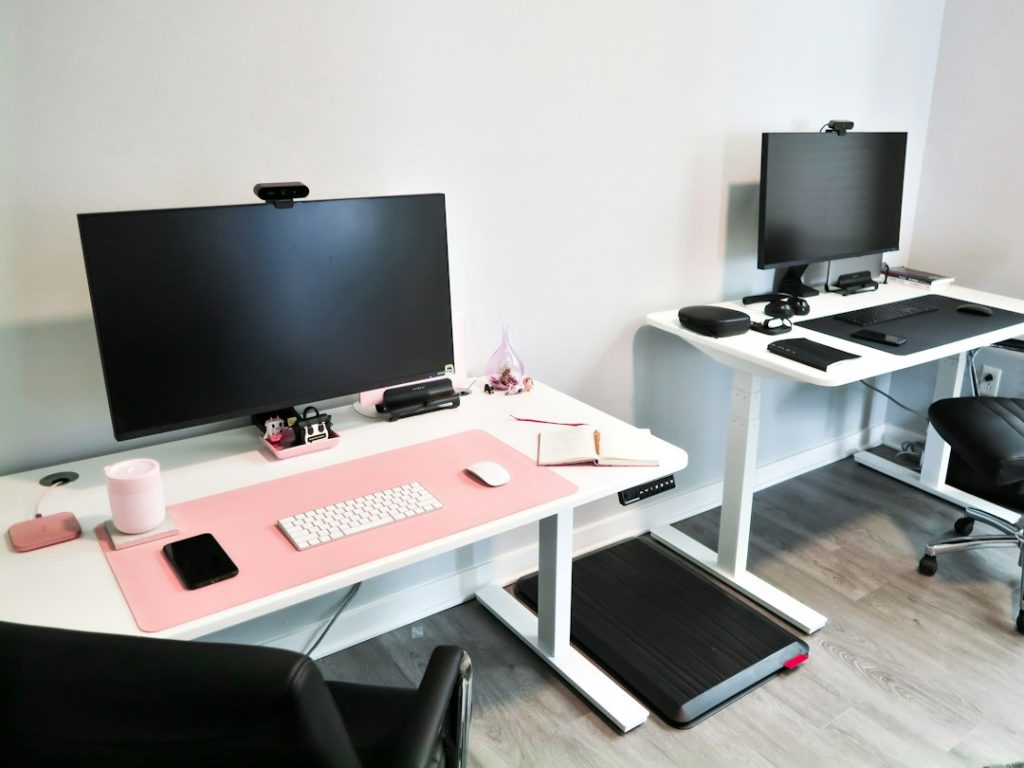
The choice significantly impacts desk ergonomics and space utilization. Walking pads require adequate floor space under the desk and may necessitate a larger, more stable standing desk. Cable management also becomes a consideration. Standing mats are universally compatible with most desk setups, requiring no special considerations beyond the desk height itself. For small spaces or minimalist setups, a standing mat is far more practical. For those with dedicated office space willing to invest in equipment, a walking pad offers a more comprehensive solution for activity integration.
| Feature | Under Desk Walking Pad (e.g., WalkingPad C2) | Anti-Fatigue Mat (e.g., SkyMat) |
|---|---|---|
| Primary Goal | Increase physical activity, calorie burn | Improve comfort, reduce strain from standing |
| Calorie Burn Impact | High (est. 300-400 kcal/hr at 2 mph) | Low (est. 50-75 kcal/hr increase over sitting) |
| Focus Impact | Potentially enhanced via alertness; possible initial distraction | Enhanced by reduced discomfort; passive support |
| Space Requirement | Significant (under desk) | Minimal (under feet) |
| Setup | Requires placement, potential cable management | None |
| Cost | $300 – $800+ | $40 – $150 |
| Noise Level | Low to moderate | N/A |
| Portability/Storage | Varies; some foldable | High; often rolled or stored easily |
Expert Insights and User Experiences (2026)
Real-world usage and expert opinions offer valuable context beyond theoretical benefits. The evolving landscape of remote work tools means more data is available on the practical application of these devices.
Real-World Calorie Burn Data
Anecdotal evidence and user tracking data corroborate that walking pads consistently lead to higher calorie expenditure. Users integrating walking pads into their daily routine report significant increases in steps taken and calories burned, often equating to an additional workout session’s worth of activity spread throughout the day. While fitness trackers provide estimates, the consensus is that the caloric difference is substantial enough to contribute to fitness goals for most users. Standing mats offer a much smaller, almost negligible, increase in calorie burn, primarily by enabling longer periods of standing without discomfort.
Productivity Gains and Losses Reported
Productivity reports are varied. Some users find the continuous low-level activity keeps them alert and engaged, reducing the “brain fog” associated with prolonged sitting. Others find that certain demanding tasks, like detailed coding or complex data analysis, are better performed while seated or standing very still. The key seems to be moderation and task-appropriateness. Walking too fast or for too long can indeed be detrimental to focus. Many find a sweet spot around 1-2 mph for several hours a day. Standing mats generally receive positive feedback for enabling longer standing periods, which users often associate with increased alertness and reduced physical distractions, thereby supporting productivity without the complexity of movement.
Avoiding Common Pitfalls with Under Desk Treadmills and Mats
For walking pads, common pitfalls include purchasing models that are too noisy, too bulky, or lack sufficient stability. Users also report issues with adjusting to the dual task of walking and working, sometimes leading to errors or reduced typing speed. Expert advice emphasizes starting slowly, both in speed and duration, and gradually increasing. Ensuring the desk height is appropriate for comfortable typing while walking is also crucial. For standing mats, the primary pitfall is choosing a mat that is too thin or too firm, negating its anti-fatigue benefits. Users may also develop compensatory postures if the mat doesn’t encourage subtle movement. Evidence Notes: suggest looking for mats with varied densities and a supportive, yet yielding, surface.

Choosing the Right Solution for Your Remote Work Lifestyle
The decision between a walking pad and a standing mat boils down to individual priorities, budget, space, and work habits.
Factors to Consider Beyond Burn and Focus
Budget: Walking pads are a significant investment, whereas mats are relatively inexpensive.
Space: Do you have the room under your desk for a walking pad? A mat requires virtually no extra space.
Noise Sensitivity: If you work in a shared space or are sensitive to noise, a quiet walking pad is essential, or a mat might be the only viable option.
Type of Work: Highly detailed, precision-oriented tasks might favor a mat, while more general computer work could benefit from a walking pad’s activity.
Physical Goals: Is weight management or increased daily activity your primary driver? The walking pad excels here. Is comfort and reduced physical strain the main goal? The mat is ideal.
Making the Investment: Cost vs. Benefit Analysis
For the ambitious remote worker aiming to maximize calorie burn and combat sedentary behavior, the walking pad represents a higher investment with potentially greater rewards in terms of physical health. The cost per calorie burned is significantly lower than traditional gym memberships or specialized fitness equipment, making it an efficient tool for health-conscious individuals. For those prioritizing comfort, reduced physical strain, and a more accessible solution, the anti-fatigue mat offers excellent value. Its benefits are immediate and directly address the discomfort of standing, indirectly supporting focus and overall well-being at a fraction of the cost.
👑 Ultimate Winner: Under Desk Walking Pad (for holistic health goals)
While the anti-fatigue mat is an excellent, low-cost solution for improving comfort during standing, the under-desk walking pad emerges as the superior choice for individuals serious about integrating significant physical activity and calorie burn into their workday. Its ability to transform sedentary hours into active ones provides a powerful tool for combating the health risks of prolonged sitting. Though it requires a larger investment and adjustment period, the comprehensive benefits for physical health, energy levels, and potentially sustained focus make it the more impactful long-term solution for a proactive remote work lifestyle. It is best suited for the ‘Type A hiker’ of remote work, who actively seeks to optimize every hour for both productivity and well-being.