The Digital Eye Strain Dilemma: Understanding the Problem
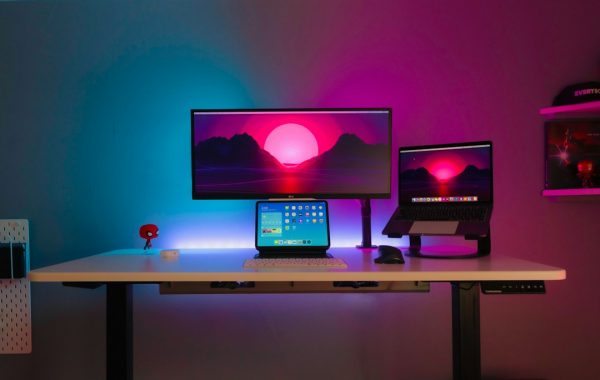
In 2026, our lives are inextricably linked to screens. From the omnipresent smartphones and tablets in our pockets to the dedicated monitors powering our remote work or gaming sessions, digital displays are our primary window to the world. However, this constant immersion comes at a cost. Digital eye strain, a collection of visual and sometimes physical discomforts, has become a pervasive issue, impacting productivity, well-being, and even long-term eye health. Understanding the root causes and evaluating effective solutions is no longer a luxury, but a necessity for anyone spending significant hours in front of a screen.
What is Blue Light and Where Does It Come From?
Blue light is a high-energy, short-wavelength portion of the visible light spectrum. While natural blue light from the sun is essential for regulating our sleep-wake cycles and boosting alertness, artificial sources, particularly the LEDs in our digital devices, emit significant amounts of it. Computer monitors, smartphones, tablets, and even energy-efficient lighting all contribute to our daily blue light exposure. Its short wavelength means it scatters more easily than other visible light, leading to reduced contrast and the potential for visual discomfort. The intensity and proximity of these artificial sources are a growing concern.
The Real Impact of Screen Time on Your Eyes
Prolonged screen time places a significant demand on our visual system. The eyes have to constantly focus and refocus, leading to accommodative fatigue. Furthermore, the high-energy blue light emitted by screens can penetrate the eye and reach the retina. While research is ongoing, some studies suggest a potential link between long-term, excessive blue light exposure and an increased risk of macular degeneration. More immediately, the glare and contrast issues associated with blue light contribute to reduced visual performance and discomfort. Our eyes are not naturally optimized for the sustained, close-range visual tasks demanded by modern digital devices.
Symptoms of Digital Eye Strain and Fatigue
The symptoms of digital eye strain, often referred to as Computer Vision Syndrome, are varied and can range from mild annoyance to debilitating discomfort. Common indicators include dry or itchy eyes, blurred or double vision, headaches originating from the temples or forehead, increased sensitivity to light, and neck or shoulder pain due to poor posture adopted while using devices. In some cases, users may also experience difficulty concentrating and a general feeling of fatigue. These symptoms are often exacerbated by poor lighting conditions, uncorrected vision problems, and inefficient work habits.
Analyzing the Contenders: Blue Light Glasses
As the awareness of digital eye strain has grown, so has the market for solutions. Blue light glasses have emerged as a popular physical intervention, promising to block or filter out a significant portion of the problematic blue light emitted by screens. These glasses aim to provide a direct, hardware-based solution to mitigate the visual stressors associated with digital device usage.
How Blue Light Glasses Work: The Science of Filtration
The efficacy of blue light glasses lies in their lenses, which are coated or embedded with materials designed to absorb or reflect specific wavelengths of light. Different types of coatings target different parts of the blue light spectrum. Some lenses are engineered to block nearly all blue light, while others are designed to filter out only the highest-energy wavelengths, typically in the 400-450nm range, which are most associated with digital eye strain and potential retinal damage. The goal is to reduce the amount of blue light reaching the eye without significantly distorting the overall color perception.
Types of Blue Light Glasses: Full Tint vs. Clear Lenses
Blue light glasses come in two primary forms: those with a noticeable yellow or amber tint, and those that appear clear. The tinted lenses, often referred to as “f-type” or “full spectrum” blockers, offer the most robust filtration of blue light. This strong tint, however, can significantly alter color perception, making them less ideal for tasks requiring precise color accuracy, such as graphic design or photography. Clear or lightly tinted lenses are designed to filter out a smaller, but still significant, portion of the highest-energy blue light. These are generally preferred for everyday computer use where maintaining color fidelity is important, though their blue light blocking capabilities are less potent than their tinted counterparts.

Pros and Cons of Wearing Blue Light Glasses
👍 Pros
- Direct Filtration: Physically blocks a portion of blue light before it reaches the eyes.
- Convenience: Wearable across any device without software installation.
- Potential Sleep Aid: Filtering blue light in the evening may help regulate melatonin production and improve sleep quality.
- Variety of Styles: Available in numerous frame designs and lens tints.
👎 Cons
- Color Distortion: Tinted lenses can significantly alter color accuracy, problematic for creative professionals.
- Inconsistent Effectiveness: Effectiveness varies greatly by brand and lens technology; some may offer minimal actual filtration.
- Cost: Quality pairs can be expensive, adding an ongoing cost.
- Comfort: Some users find wearing glasses for extended periods uncomfortable or forget they are wearing them.
Key Brands and Models to Consider in 2026 (e.g., Zenni Blokz, Gunnar Optiks, Felix Gray)
By 2026, the market is flooded with options, but a few brands have established a strong reputation. Zenni Optical’s Blokz line offers affordable, clear-lens blue light protection, making them accessible for many. Gunnar Optiks are known for their more aggressive amber tints and performance-oriented designs, often favored by gamers and those seeking maximum blue light reduction, albeit with noticeable color shift. Felix Gray offers a premium option with clear lenses designed for everyday computer use, balancing protection with a more natural color experience. Other notable mentions include Warby Parker’s blue light filtering option and various specialized brands catering to specific professional needs.
Analyzing the Contenders: Night Mode Software
Complementing or alternative to physical eyewear, software-based solutions aim to reduce blue light exposure by altering the display’s color temperature. These “night mode” features dynamically adjust the screen output, shifting it towards warmer, redder tones as the day progresses or when activated manually, particularly in low-light conditions.
How Night Mode Software Works: Shifting Color Temperature
Night mode software functions by reducing the intensity of blue light emitted by the screen and increasing the proportion of warmer colors (yellows, oranges, reds). This is achieved by manipulating the display’s color temperature settings. Instead of emitting a broad spectrum that includes a high proportion of blue light, the software recalibrates the display to emit a warmer hue. The underlying principle is to mimic the natural shift in ambient light as the sun sets, signaling to the brain that it’s time to wind down, thereby potentially improving sleep quality and reducing eye strain.
Popular Night Mode Solutions for Different Operating Systems (Windows, macOS, iOS, Android)
Most modern operating systems have integrated night mode features. Windows users can utilize “Night Light,” which allows scheduling and intensity adjustments. macOS features “Night Shift,” similarly offering scheduled adjustments and a color temperature slider. iOS devices have “Night Shift” that operates on the same principle, often activated automatically based on sunset. Android devices also widely incorporate similar features, often branded as “Eye Comfort Shield,” “Night Light,” or similar, typically found within display settings, allowing customization of schedule and warmth. These built-in options provide a baseline level of blue light reduction accessible to most users.
Built-in vs. Third-Party Night Mode Software (e.g., f.lux, Windows Night Light, macOS Night Shift)
While built-in OS features like Windows Night Light and macOS Night Shift are convenient and readily available, third-party applications such as f.lux offer more granular control and customization. F.lux, a long-standing favorite, allows users to set their location to precisely match the natural light cycles and offers extensive options for tweaking color temperature and transition speed. The choice between built-in and third-party often comes down to user preference for simplicity versus advanced customization. For most users, the integrated solutions provide adequate functionality, while power users may prefer the flexibility of dedicated software.
Pros and Cons of Using Night Mode Software
👍 Pros
- No Cost: Most built-in solutions are free.
- Color Accuracy Maintained (Generally): Less color distortion compared to heavily tinted glasses, making it suitable for most users.
- Automatic Adjustment: Can be scheduled to activate automatically, providing seamless protection.
- Accessible on All Devices: Available on virtually all modern smartphones, tablets, and computers.
👎 Cons
Head-to-Head: Blue Light Glasses vs. Night Mode Software
When directly comparing blue light glasses and night mode software, it becomes clear that each approach has distinct strengths and weaknesses. The optimal choice often depends on the user’s specific needs, priorities, and the context of their digital device usage.
Effectiveness in Reducing Blue Light Exposure
In terms of raw blue light reduction, high-quality, tinted blue light glasses generally offer superior filtration. Lenses specifically designed to block a large percentage of blue light (especially those in the 400-450nm range) provide a more direct and potent reduction compared to software adjustments. While night mode software can significantly shift the color temperature, it doesn’t physically block light; it merely alters the display’s output. Therefore, for users highly sensitive to blue light or those spending extremely long hours in front of screens, physical filtration may offer a more substantial protective effect.
Impact on Color Accuracy for Professionals (Designers, Photographers)
This is where night mode software often takes the lead. While heavily tinted blue light glasses can render colors inaccurately, making them unsuitable for professional visual work, most night mode software allows for a more balanced adjustment. Even with warmer tones, calibrated software can provide a more color-accurate representation of the screen’s output than heavily filtered lenses. For graphic designers, video editors, photographers, and anyone whose work relies on precise color judgment, software-based solutions are typically the preferred method for mitigating digital eye strain without compromising visual fidelity.
User Experience and Convenience Factors
Convenience is a key differentiator. Blue light glasses offer a plug-and-play solution: you put them on, and they work across all devices. They require no installation or configuration. However, they can be easily forgotten, misplaced, or considered uncomfortable for extended wear. Night mode software, conversely, once set up, operates automatically in the background. It’s always “on” when the device is on, provided it’s configured correctly. The user experience here is seamless, requiring no active participation beyond the initial setup. However, if users frequently switch between devices or operating systems without consistent software settings, the experience can be less uniform.
Long-Term Eye Health Benefits: What the Science Says
The scientific consensus on the long-term benefits of both solutions is still evolving. While blue light glasses aim to protect the retina from potential damage, definitive long-term studies directly linking their use to preventing age-related macular degeneration are limited. The primary benefit currently supported by stronger evidence is the reduction of symptoms associated with digital eye strain. Similarly, night mode software’s primary benefit is its impact on circadian rhythms and sleep quality by reducing evening blue light exposure. While reducing eye strain symptoms is a significant health benefit, claims of preventing long-term retinal damage from screen-emitted blue light specifically require more robust, longitudinal research. Both methods are generally considered safe and primarily effective for alleviating immediate discomfort and improving sleep hygiene.
Beyond the Basics: Holistic Digital Eye Care Strategies
While blue light glasses and night mode software are valuable tools, they are not a panacea. A comprehensive approach to digital eye care involves integrating these solutions with healthy habits and proper setup.
The 20-20-20 Rule: A Simple Yet Effective Break Technique
One of the most recommended and easiest digital eye care strategies is the 20-20-20 rule. For every 20 minutes spent looking at a screen, take a 20-second break to look at something at least 20 feet away. This simple habit helps to relax the eye’s focusing muscles, reduce dryness by encouraging natural blinking, and prevent the sustained strain that contributes to discomfort. Implementing this rule requires conscious effort but can yield significant relief.
Ergonomics for Remote Work: Optimizing Your Setup
The physical environment plays a crucial role. Ensuring proper ergonomic setup is vital. This includes positioning your monitor at arm’s length and slightly below eye level, using a comfortable chair that supports your back, and maintaining good posture. Reducing glare on your screen by adjusting lighting or using an anti-glare filter can also significantly decrease eye strain. An optimized workstation minimizes physical stress on the eyes and body.
Screen Brightness and Contrast Settings: Finding the Sweet Spot
Adjusting screen brightness and contrast to match ambient lighting conditions is key. A screen that is too bright in a dim room or too dim in a bright room can cause discomfort. Aim for a brightness level that is comfortable and doesn’t cause your eyes to strain. Similarly, adjusting contrast can improve readability. Many devices offer automatic brightness adjustments, but manual fine-tuning based on your environment is often beneficial.
Importance of Regular Eye Exams
Underlying vision problems, such as uncorrected refractive errors (nearsightedness, farsightedness, astigmatism) or presbyopia, can significantly exacerbate digital eye strain. Regular comprehensive eye exams with an optometrist or ophthalmologist are crucial. They can identify and correct any vision issues, ensuring your prescription is up-to-date, and provide professional advice tailored to your specific eye health needs and digital device usage patterns.
Making the Right Choice for Your Needs in 2026
Deciding between blue light glasses and night mode software, or a combination of both, depends on a personalized assessment of your digital habits and visual needs.
Who Benefits Most from Blue Light Glasses?
Individuals who spend extensive hours in front of screens, particularly those highly sensitive to light or experiencing significant eye fatigue, may find the direct filtration of blue light glasses most beneficial. This includes heavy computer users, gamers, and people working in environments with harsh artificial lighting. Those who prioritize a physical, always-on solution without needing software configuration will also lean towards glasses. Users who don’t require absolute color fidelity for their work are also prime candidates.
Who Benefits Most from Night Mode Software?
Night mode software is ideal for users who prioritize color accuracy, such as graphic designers, photographers, and video editors. It’s also a great, low-effort solution for individuals seeking to improve sleep quality by reducing evening blue light exposure without the need for separate eyewear. Users who appreciate automatic, background adjustments and prefer not to wear glasses will find software solutions more convenient. It’s also the go-to for those primarily using mobile devices, where software solutions are often the only readily available option.
Can They Be Used Together for Maximum Protection?
Yes, for many users, combining both blue light glasses and night mode software can offer a comprehensive approach. Using clear or lightly tinted blue light glasses during the day for enhanced protection and then activating night mode software in the evening can provide layered benefits. This strategy aims to reduce overall blue light exposure while also leveraging software for circadian rhythm support. However, users must be mindful of potential over-filtration or color distortion if using heavily tinted glasses in conjunction with aggressive night mode settings.
Expert Recommendations and User Case Studies
Optometrists often recommend a multi-faceted approach. For general digital eye strain relief, they frequently endorse the 20-20-20 rule, proper ergonomics, and screen adjustments. When recommending blue light reduction, the advice varies: clear blue light filtering glasses are suggested for general daily use where color accuracy is paramount, while tinted lenses are reserved for evening use or for individuals with extreme sensitivity. Night mode software is universally recommended for improving sleep hygiene and reducing strain, especially for evening screen use. User testimonials often highlight that the most effective strategies combine these technological solutions with mindful usage habits and regular breaks.
👑 Ultimate Winner: A Hybrid Approach
The true winner in 2026 isn’t a single product but a personalized, hybrid strategy. For most users, combining the convenience and color accuracy of integrated Night Mode Software (like Windows Night Light or macOS Night Shift) with the discipline of the 20-20-20 rule and proper ergonomics provides the best balance of eye comfort and visual performance. For those experiencing severe eye strain or seeking maximum blue light reduction, supplementing this with clear or lightly tinted blue light filtering glasses offers an advanced layer of protection. Professionals requiring absolute color fidelity should prioritize software solutions and breaks, while individuals highly sensitive to light might benefit most from dedicated, performance-oriented blue light glasses, even with some color compromise.