The perpetual quest for ergonomic perfection in computer peripherals often leads users down a rabbit hole of claims and counterclaims. For professionals spending countless hours at their desks, particularly in remote work setups, the mouse is not just a tool but an extension of the hand. Two titans from Logitech, the MX Master 3S and the MX Vertical, stand as prime contenders in the ergonomic mouse arena. While both aim to enhance comfort and reduce strain, they approach the problem from fundamentally different angles. The MX Master 3S, a productivity powerhouse, boasts an advanced, contoured design for palm support, whereas the MX Vertical champions a natural handshake posture to alleviate wrist pronation. This deep dive dissects their ergonomic philosophies, performance metrics, and real-world applicability to determine which, if either, is the superior choice for preventing wrist angle and hand fatigue in 2026.
| Feature | Logitech MX Master 3S | Logitech MX Vertical |
|---|---|---|
| Ergonomic Design | Contoured, palm-supporting shape | Vertical, handshake grip design |
| Wrist Angle Reduction | Moderate reduction through sculpted form | Significant reduction via natural handshake posture |
| Hand Fatigue Alleviation | Aims to reduce general hand strain | Specifically targets wrist and forearm fatigue |
| Sensor Resolution (DPI) | 4000 DPI (adjustable) | 4000 DPI (adjustable) |
| Connectivity | Logi Bolt USB Receiver, Bluetooth Low Energy | Logi Bolt USB Receiver, Bluetooth Low Energy |
| Battery Life | Up to 70 days on a full charge | Up to 4 months on a full charge |
| Weight | 141 g | 130 g |
| Number of Buttons | 7 programmable buttons | 6 programmable buttons |
| Scroll Wheel | MagSpeed Electromagnetic | Standard rubberized scroll wheel |
ConnectivityLogi Bolt, Bluetooth
Battery LifeUp to 70 days
At a Glance: Key Differences in Ergonomics and Performance
Before diving deep, a high-level overview reveals the distinct philosophies behind these two Logitech heavyweights. The MX Master 3S is engineered for peak productivity, featuring a full-hand, sculpted design that cradles the palm and offers extensive thumb support. Its primary goal is to enhance workflow efficiency while providing a comfortable grip that minimizes general hand strain. Conversely, the MX Vertical is purpose-built to address the specific biomechanical issue of wrist pronation. Its unique 57-degree vertical angle mimics a natural handshake, placing the hand and forearm in a more neutral, relaxed position, directly combating the fatigue associated with traditional mouse use.

The MX Master 3S achieves its ergonomic benefits through its shape: a pronounced thumb rest, a deep palm swell, and carefully placed buttons that encourage a relaxed grip. The MX Vertical, however, focuses on the angle. By orienting the hand vertically, it reduces the twisting motion of the forearm and wrist, a common culprit for discomfort and long-term strain injuries. While both mice share high-end sensor technology and advanced connectivity, their ergonomic approaches are fundamentally different, catering to distinct user needs and pain points.
Logitech MX Master 3S: Designed for Productivity and Comfort
The MX Master 3S is the evolution of a lineage known for its productivity focus. Its ergonomic design isn’t overtly radical but is refined to support the natural contours of the hand. The sculpted thumb rest provides a secure anchor, preventing the thumb from splaying unnaturally. The generous palm support ensures the hand rests in a relaxed, slightly cupped position. This design aims to distribute pressure evenly across the palm and hand, reducing the localized stress points often found with flatter or less contoured mice. For users who value a comprehensive suite of customizable buttons and a robust feature set for multitasking, the MX Master 3S offers a compelling blend of ergonomic consideration and unparalleled productivity.
Pros: MX Master 3S
- Exceptional thumb rest and palm support.
- Versatile button layout for complex workflows.
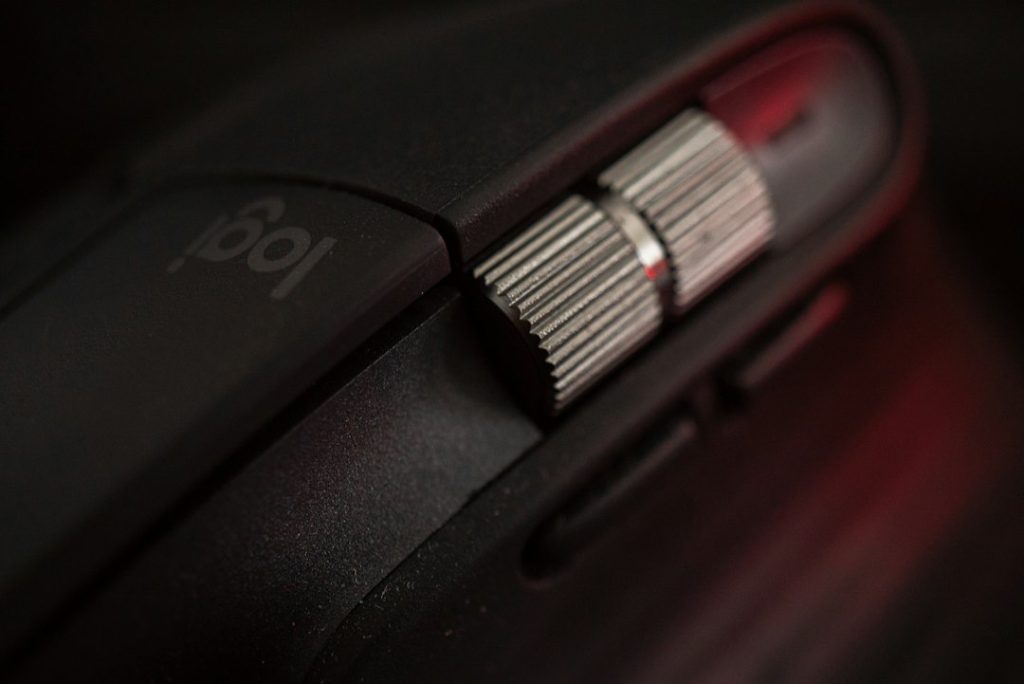
- Advanced MagSpeed scroll wheel for precise and fast scrolling.
- Comfortable for general productivity and long use.
Cons: MX Master 3S
- Still requires some wrist pronation compared to vertical mice.
- Can be bulky for users with smaller hands.
- Heavier than some alternatives.
Logitech MX Vertical: Prioritizing Natural Wrist Posture
The MX Vertical’s design is a direct response to the biomechanical challenges of traditional mouse usage. The 57-degree vertical angle is the star of the show, promoting a handshake grip that significantly reduces forearm and wrist twisting. This neutral posture minimizes pressure on the carpal tunnel, a common area of concern for repetitive strain injuries. The hand naturally rests on the mouse, with the thumb supported on a dedicated rest and fingers positioned over the buttons. This design choice prioritizes the reduction of static muscle load and repetitive strain, making it an excellent option for individuals experiencing or seeking to prevent wrist-related pain and fatigue.
Pros: MX Vertical
- Significantly reduces wrist pronation and forearm twisting.
- Promotes a natural handshake posture for enhanced comfort.
- Excellent for preventing and alleviating wrist-specific fatigue.
- Lightweight design.
Cons: MX Vertical
- Steep learning curve for users accustomed to traditional mice.
- Fewer programmable buttons than the MX Master 3S.
- Thumb wheel is present but less versatile than Master 3S’s MagSpeed.
- May not offer as much palm cushioning as the Master 3S.
Deep Dive: Wrist Angle and Hand Fatigue Analysis
The core differentiator between these two mice lies in how they address wrist angle and, consequently, hand fatigue. While both are ergonomic, their methods yield different results for different users.
Analyzing the Thumb and Palm Support: Master 3S’s Approach
The MX Master 3S excels in providing comprehensive hand support. Its generous palm swell fills the hand, encouraging a relaxed grip and preventing the palm from pressing flat against the desk, which can lead to pressure points. The sculpted thumb rest is a highlight, offering a secure place for the thumb to rest, preventing it from dragging or overextending. This design supports the natural curvature of the hand, reducing overall muscular tension. However, the Master 3S still requires the hand to be oriented horizontally, which means the wrist is still slightly pronated – a position that, over prolonged periods, can contribute to fatigue and discomfort, especially for those sensitive to wrist angle.
Deconstructing the Vertical Grip: Vertical’s Impact on Wrist Alignment
The MX Vertical’s 57-degree angle is its defining feature. This vertical orientation places the hand in a neutral handshake position, directly addressing wrist pronation. Instead of twisting the forearm to lay the hand flat on a traditional mouse, the Vertical allows the hand to rest naturally at the side. This dramatically reduces the strain on the forearm muscles and the carpal tunnel area. The thumb rest on the Vertical is designed to support this handshake posture, ensuring the thumb remains comfortable and engaged without excessive stretching. The primary benefit here is the significant reduction in static load on the wrist and forearm, a key factor in preventing repetitive strain injuries.
How Button Placement Affects Finger and Hand Strain
Button placement is crucial for finger comfort and strain reduction. The MX Master 3S features seven programmable buttons, including a dedicated thumb wheel and forward/back buttons. Their placement is generally intuitive for a palm grip, requiring minimal finger stretching for most users. The main buttons have a satisfying click, and the overall layout encourages a relaxed finger position.
The MX Vertical has six programmable buttons, including a thumb wheel positioned for easy access in the vertical grip. The primary click buttons are designed to be actuated with a lighter touch, complementing the vertical posture. While generally comfortable, the transition to this grip might initially feel like finger positions need adjustment, potentially leading to a short period of unfamiliar strain before adaptation. The forward/back buttons are typically placed near the thumb rest, accessible with a slight thumb movement.
Performance Benchmarks: Speed, Precision, and Customization
Beyond ergonomics, the performance of these mice dictates their usability for various professional tasks.
Tracking Accuracy and Sensor Performance Comparison
Both the MX Master 3S and the MX Vertical are equipped with Logitech’s high-precision Darkfield optical sensors, capable of tracking accurately on virtually any surface, including glass, at up to 4000 DPI. This means both mice offer exceptional precision and responsiveness, suitable for detailed work like photo editing or CAD. The adjustable DPI allows users to fine-tune sensitivity for their specific needs. In terms of raw tracking performance, they are virtually identical and deliver top-tier accuracy.
Navigating the Web and Documents: Scroll Wheel and Gestures
This is where the MX Master 3S pulls ahead significantly. Its MagSpeed Electromagnetic scroll wheel is a marvel of engineering, offering two modes: a precise line-by-line clicky scroll and a hyper-fast free-spin mode that can power through 1000 lines in a second. This makes navigating long documents, spreadsheets, or complex codebases incredibly efficient. Additionally, the Master 3S features gesture controls activated by holding a gesture button while moving the mouse, further enhancing productivity.
The MX Vertical has a standard, rubberized scroll wheel that provides tactile feedback for precise scrolling. It also includes a thumb wheel, which can be programmed for horizontal scrolling or other functions. While functional, it lacks the sheer speed and unique free-spin capability of the MagSpeed wheel. For users whose workflow involves extensive scrolling through lengthy content, the Master 3S offers a distinct advantage.
Software and Customization: Logi Options+ for Both Mice
Both mice are managed through Logitech’s Logi Options+ software, providing a consistent and powerful customization experience. Users can remap virtually all buttons, adjust DPI settings, customize scroll wheel behavior, and set application-specific profiles. This software allows users to tailor either mouse precisely to their workflow. The ability to create custom profiles for different applications—for instance, a specific setup for Adobe Photoshop versus Microsoft Excel—enhances the productivity potential of both devices.
Real-World User Scenarios: Remote Work and Extended Use
The ultimate test for any ergonomic peripheral is its performance in prolonged, real-world use, especially in the context of remote work where desk setups vary and long hours are common.
Evaluating Comfort During Long Coding Sessions
For coders, a comfortable mouse is critical for sustained productivity. The MX Master 3S offers excellent general comfort, with its supportive shape minimizing hand fatigue during long coding sessions. The customizable buttons can be programmed for common shortcuts, improving efficiency. However, the slight wrist pronation might become noticeable after many consecutive hours, potentially leading to discomfort for some individuals.
The MX Vertical shines here for those susceptible to wrist strain. Its neutral wrist posture significantly reduces the torque on the forearm, making extended coding sessions far more comfortable for individuals experiencing or prone to carpal tunnel syndrome or general wrist pain. The trade-off is the initial adjustment period and potentially less intuitive access to some shortcuts compared to the Master 3S.
Assessing Fatigue Reduction for Graphic Designers
Graphic designers often require high precision and comfort for extended periods. Both mice offer the necessary precision with their 4000 DPI sensors. The MX Master 3S’s supportive design and versatile scroll wheel aid in navigating complex designs and large files. The tactile feedback of its scroll wheel can be beneficial for precise adjustments.
The MX Vertical’s strength lies in its ability to mitigate wrist fatigue during long design marathons. For designers who experience wrist pain or are concerned about long-term joint health, the vertical posture is a significant benefit. While the standard scroll wheel is less exciting than the MagSpeed, its functionality is adequate, and the reduction in wrist strain can outweigh this perceived performance gap for many.
Use Cases for Extended Document Editing and Data Entry
Tasks involving extensive document editing and data entry often mean hours of repetitive clicking and scrolling. The MX Master 3S, with its MagSpeed scroll wheel and comfortable grip, is a strong contender. The hyper-fast scroll is invaluable for quickly navigating through lengthy reports or spreadsheets.
The MX Vertical, while not featuring the MagSpeed wheel, provides a substantial ergonomic advantage by keeping the wrist in a neutral position. This reduces the risk of developing strain injuries from the repetitive motions involved in data entry. For users who prioritize long-term joint health over the fastest scrolling, the Vertical is the superior choice for these kinds of tasks.
The Deciding Factor: Which Mouse is Right for Your Workflow in 2026?
Choosing between the MX Master 3S and the MX Vertical boils down to prioritizing specific ergonomic needs and workflow demands.
Who Should Choose the MX Master 3S?
The MX Master 3S is ideal for the productivity-focused professional who values versatility, advanced features, and a comfortable, supportive grip for general use. If your primary concern is reducing overall hand strain during a mixed workload that includes extensive multitasking, document navigation, and general computer use, and you don’t suffer from significant wrist pain, the Master 3S is an excellent choice. Its superior scroll wheel and array of buttons make it a productivity workhorse. It’s best suited for users who can tolerate slight wrist pronation for the sake of enhanced functionality and a familiar, contoured design.
👑 Ultimate Winner: Logitech MX Master 3S
For the majority of professionals seeking a blend of high productivity, advanced customization, and everyday comfort, the MX Master 3S stands out. Its refined ergonomics, exceptional scroll wheel, and extensive button programmability make it an unparalleled tool for diverse tasks. While it doesn’t eliminate wrist pronation entirely, its supportive design significantly alleviates general hand fatigue, making it the top pick for general remote work and demanding productivity workflows in 2026.
Who Will Benefit More from the MX Vertical?
The MX Vertical is the clear winner for individuals experiencing or actively seeking to prevent wrist pain, carpal tunnel syndrome, or forearm fatigue. If your work involves prolonged hours of repetitive mouse use, and you suffer from discomfort in your wrist or forearm, the Vertical’s handshake grip and neutral wrist posture offer a direct, biomechanically sound solution. It’s Best for users who prioritize long-term joint health and are willing to adapt to a different grip style for significant ergonomic benefits. This mouse is a specific therapeutic tool for wrist discomfort.
When Neither Might Be Enough: Identifying Alternative Ergonomic Solutions
While both Logitech mice are excellent, some users might find neither perfectly addresses their needs. If extreme wrist pain persists, or if neither mouse’s specific design appeals, consider:
* Trackball mice: Devices like the Logitech MX Ergo or Kensington Expert Mouse allow users to control the cursor with their thumb or finger, eliminating the need for wrist and arm movement.
* Ergonomic keyboards: Pairing an ergonomic mouse with an ergonomic keyboard (split, tented, or curved designs) can create a more holistic, strain-reducing workstation.
* Vertical mice with different angles or sizes: While Logitech’s 57-degree angle is common, some brands offer variations, and customizability might be key.
* Adjustable workstations: Sit-stand desks and adjustable monitor arms contribute to better posture and reduced static load throughout the body.
FAQ: Your Burning Questions on Logitech Ergonomic Mice Answered
Can the MX Master 3S truly alleviate hand fatigue for all users?
The MX Master 3S is designed to alleviate general hand fatigue through its supportive, contoured shape and comfortable grip. It excels at reducing strain points for most users engaged in general productivity. However, it does not eliminate wrist pronation, so individuals with specific wrist conditions or severe fatigue related to pronation might not find it sufficient on its own.
Does the MX Vertical’s steep angle cause a learning curve?
Yes, the 57-degree vertical angle of the MX Vertical does present a learning curve. Users accustomed to traditional horizontal mice will need time to adapt to the handshake grip and potentially the repositioning of fingers for buttons. This adjustment period can range from a few days to a couple of weeks, during which some initial awkwardness or even minor strain is possible.
How does the battery life compare for intensive daily use?
The MX Vertical generally offers longer battery life, rated at up to 4 months on a full charge, compared to the MX Master 3S’s up to 70 days. Both offer USB-C fast charging, providing hours of use from just a few minutes of charging. For users prioritizing the absolute longest time between charges, the MX Vertical has an edge.
Which mouse offers better long-term joint health benefits?
For long-term joint health, particularly concerning the wrist and forearm, the MX Vertical is likely to offer greater benefits. Its design actively promotes a neutral, handshake posture, significantly reducing the repetitive strain and twisting forces that can contribute to conditions like carpal tunnel syndrome or tendonitis over time. The MX Master 3S provides good general comfort, but its less radical ergonomic approach means it doesn’t address wrist pronation as directly.